
Are instagram story viewers safe? Only the ones built as server-side proxies that never ask for your Instagram login — credential-based apps and browser extensions that request your username and password are a fundamentally different, much riskier category, regardless of how polished the site looks.
The market for privacy tools has exploded alongside growing awareness of how much everyday browsing gets tracked, and Instagram viewing is no exception. You’ve likely seen ads promising total anonymity, and you’re right to treat them skeptically — the honest answer to are instagram story viewers safe is: it depends entirely on how the tool is built, and the market genuinely contains both legitimate options and outright scams operating side by side.
This guide breaks down the exact architecture that separates a safe tool from a dangerous one, the red flags worth memorizing, and a five-point checklist to run through before trusting any site with a username search.
Understanding the two types of viewer tool
Safety here comes down almost entirely to how a tool accesses Instagram’s data — there are really only two architectures in use, and they carry wildly different risk profiles.
The proxy-based web scraper (the safe category). A legitimate, browser-based tool never asks you to log into Instagram. You provide a public username; the tool’s own server — not your device — requests that account’s public content and hands it back to your browser. Your device never talks to Instagram directly, you never provide a password, and the only thing Instagram’s logs ever show is the tool’s own server making the request, not you. Our own viewer is built on exactly this architecture, which is precisely why it never asks for anything beyond the username you’re checking.
The credential-based app (the dangerous category). This category typically shows up as a mobile app or browser extension prompting “Log in with Instagram” to unlock its features. The moment you hand over your actual username and password to an unregulated third-party developer, your account security drops to effectively zero — you’re trusting a stranger with full access to your digital identity. This category is responsible for the overwhelming majority of hijacked accounts and permanent bans tied to third-party viewer tools.
A third, hybrid category worth naming separately: browser extensions that don’t ask for your Instagram password directly, but instead request broad “read and modify data on every site you visit” permissions to inject their functionality into the Instagram web interface. These aren’t automatically malicious — some are built responsibly — but the permission scope itself is a meaningfully larger attack surface than a standalone web tool, since a compromised or later-resold extension can act with that same broad access retroactively, even if it behaved safely when you first installed it. If you go this route, favor extensions with a long, consistent review history over anything newly published, and periodically re-audit which extensions still have access to your browser.
The five-point safety checklist
Before typing a username into any anonymous viewer, run it through these five checks. Failing even one is a reason to close the tab.
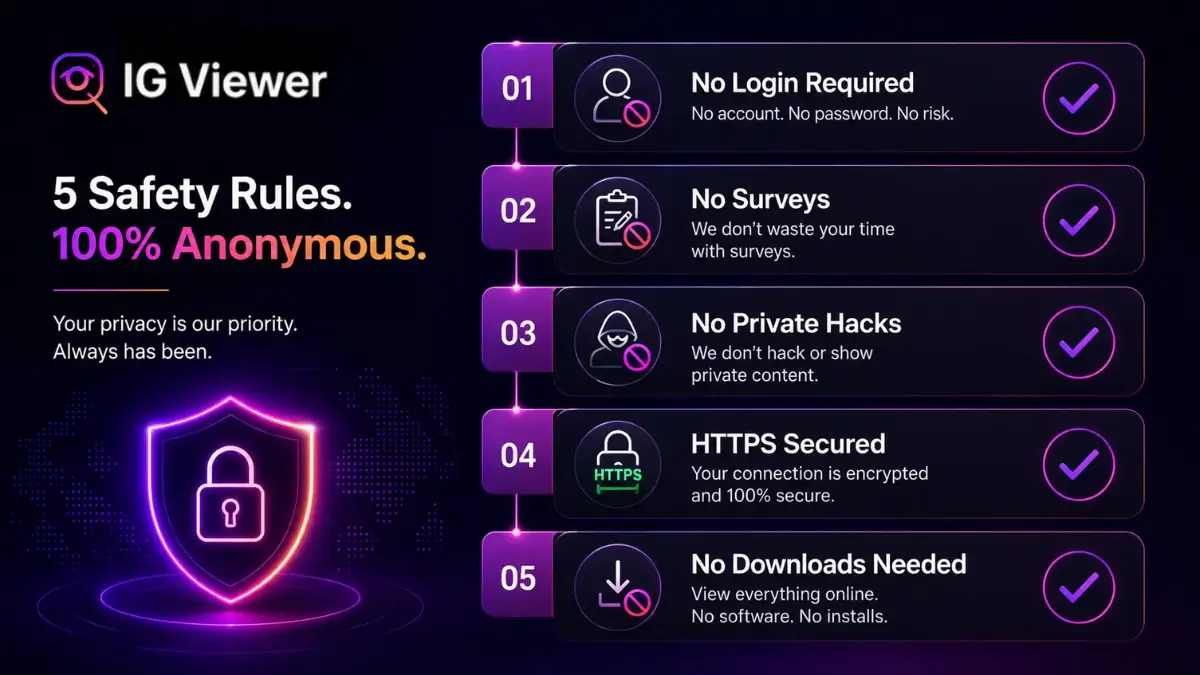
- Does it require a login? Never provide your Instagram username or password to a third-party viewer. A legitimate tool only ever needs the public handle you're looking up — it has no reason to need your own account.
- Does it demand a "human verification" survey? Sites that gate the result behind a survey, sweepstakes entry, or "free" app download are running a CPA (cost-per-action) scam — there's no real tool behind the loading screen, just an affiliate offer they're paid to funnel you into.
- Does it claim to unlock private accounts? If an account is private, no web-based tool can view it — full stop. Any site claiming a "private profile bypass" is lying, typically as a setup for credential theft or malware.
- Is the connection secured with HTTPS? Check the address bar for the padlock icon. Without it, your ISP or anyone on the same public network can see exactly which profiles you're searching.
- Does it force an app or file download? Stick to browser-based tools. Executables and APKs run with far more system access than a sandboxed browser page ever gets, and malicious "viewer" installers are a well-documented vector for background crypto-miners and keyloggers.
How to verify a tool's architecture yourself
If you want more confidence than a visual checklist provides, there’s a genuinely simple technical check anyone can run without special skills. Open your browser’s developer tools (right-click anywhere on the page and select Inspect, or press F12 on desktop), switch to the Network tab, and then perform a search on the site as normal. Watch what requests fire:
- A safe tool will show requests going to its own domain (and possibly to Instagram's CDN hosts for fetching the actual media), with no request anywhere that includes fields named anything like "password," "login," or your own credentials.
- A credential-harvesting tool will show a request to a login-style endpoint the moment you interact with any "verify your account" or "sign in to continue" prompt — a clear tell, since a legitimate public-data lookup never needs an authentication step at all.
This same panel also confirms the HTTPS check from the list above at a technical level — every request should show as secure (a locked padlock next to each entry), not just the top-level page URL.
It’s also worth actually reading the privacy policy, not just checking that one exists. A genuinely safe tool’s policy should plainly state that it doesn’t require or store Instagram credentials, and should say something concrete about how long, if at all, it retains the usernames you search. A policy that’s vague, generic boilerplate copied from an unrelated template, or simply missing entirely, tells you the operator either hasn’t thought carefully about data handling or doesn’t want to commit to anything specific in writing — neither is a good sign, even if the tool otherwise looks legitimate on the surface.
Scam patterns beyond the basic checklist
Beyond the five core checks, a few more specific patterns are worth recognizing on sight, since scam operators iterate on their tactics regularly.
Countdown-timer urgency. A page that displays an artificial countdown (“Your session expires in 4:59”) pressuring you to act before you’ve had time to evaluate the site is a manipulation tactic borrowed directly from high-pressure sales, not a genuine technical limitation — legitimate tools have no reason to rush you.
Fake social proof. Watch for live-updating “X people viewed this in the last hour” counters or fabricated testimonials designed to manufacture trust quickly. These are trivial to fake and common on low-quality scam pages specifically because they work on people moving quickly.
Ad-heavy redirect chains. A site that redirects through two or three intermediate pages before showing anything, each loaded with aggressive ads or pop-unders, is a strong signal the operator’s actual business model is ad-impression volume, not the tool itself working properly — the “viewer” is often just bait to generate pageviews.
When in doubt about which category a specific tool falls into, default to caution — the downside of skipping a genuinely safe tool is minor inconvenience, while the downside of trusting a credential-harvesting one is a compromised account.
Is it legal to use one?
Common worry
Using an anonymous viewer must be illegal, since it feels like you're bypassing something.
Reality
Viewing publicly available content is legal in the vast majority of jurisdictions. What you're bypassing is a terms-of-service preference, not a law.
Viewing content an account has explicitly set to public is, in the overwhelming majority of jurisdictions, entirely legal — setting an account to public is itself a choice to make that content available to the wider internet. What’s technically against Instagram’s own terms of service is the automated scraping the tool performs on the backend, and that liability sits with the tool’s operator, not with you as a visitor using a public website — especially since you’re never logged into your own account when doing so. This is also exactly why viewer sites periodically go offline: Instagram’s engineering and legal teams actively identify and block known scraping infrastructure, which is an ongoing enforcement effort rather than a one-time action. For the fuller legal breakdown, see our dedicated guide on whether anonymous story viewing is legal.
The ethics of anonymous viewing
Being technically safe and legally permissible doesn’t automatically make every use case a good idea. The same tool that supports genuinely reasonable use can just as easily support something that isn’t.
Reasonable use cases include a brand studying a competitor’s public campaign without tipping off their social media manager, a parent checking in on a teenager’s public activity without the friction of demanding they approve a follow request, or simply catching a specific public update without falling into the app’s broader algorithmic scroll.
Unreasonable use cases include using anonymity specifically to continue monitoring someone who has blocked you or explicitly asked to be left alone, or obsessively tracking an ex-partner’s daily movements — a pattern that’s unhealthy regardless of the tool involved, and can cross into harassment depending on the specifics. For a deeper look at where the private-account boundary sits and why it exists, see our guide on viewing private accounts anonymously.
A useful gut check before using any anonymous tool for a specific person, rather than general browsing: would your reason for checking still feel reasonable if the person knew you were doing it? Genuine market research, casual curiosity about a public figure, or checking in on a teenager’s public activity all tend to pass that test comfortably. Repeated, targeted monitoring of one specific individual who has asked for space generally does not — and that discomfort is usually a reliable signal on its own, independent of whatever technical safety checklist the tool itself passes.
Protecting your own stories from viewers
If reading this has made you think about your own exposure to anonymous scrapers, the fix doesn’t require any counter-software or reporting effort on your part. Setting your account to private is the single switch that matters: the moment you enable it, every proxy server, scraper, and anonymous viewer on the internet is locked out of your content immediately, without exception. Your stories become visible only to the specific followers you’ve manually approved, and no tool — safe or otherwise — has a technical path around that.
It’s worth being clear about what this switch does and doesn’t cost you, since some creators avoid it out of a vague sense that “private” means “less visible” in every sense. Going private stops discovery through Explore, hashtags, and search for non-followers — a real tradeoff if growth matters to you — but it does not limit what your existing, approved followers can see or how they engage with your content. For a personal account primarily used to share with people you already know, that tradeoff is usually a non-issue; for a creator or brand account actively trying to grow reach, it’s a real decision worth weighing deliberately rather than defaulting into out of general privacy anxiety.
Conclusion
So, are anonymous Instagram story viewers safe? Yes, when you know what to look for — and the checklist above is the difference between a tool that respects your privacy and one that’s actively working against it. Refuse to hand over your password, avoid anything that wants you to install software, and stick to reputable, HTTPS-secured, browser-based tools. The freedom of anonymous browsing is real; it just requires knowing which corner of the market you’re actually in, and treating a five-minute check before your first search as standard practice rather than an optional extra step. Bookmark the checklist above and run through it every time you try a new tool, not just the first time — operators change, domains get sold, and yesterday’s safe site is not a permanent guarantee.
Frequently Asked Questions
Straight answers about how the tool works, what it can and can’t do, and how to use it safely.
Do I need to install anything to use a safe anonymous viewer?
No — a genuinely safe tool runs entirely in your browser. Needing to install a desktop program or mobile APK to view a story is itself a red flag, not a normal requirement.
Can an anonymous viewer see my own Instagram account or messages?
Not if it's built correctly. A proxy-based tool never authenticates as you and never requests your credentials, so it has no technical means of accessing your account, messages, or any data beyond the public username you typed in.
Why do some viewer sites disappear or stop working suddenly?
Instagram actively identifies and blocks the proxy infrastructure behind scraping tools as a matter of policy, so it's common for individual sites to go offline or need to migrate servers periodically — this is a normal operational reality of the category, not necessarily a sign of a scam.
Is it safe to use an anonymous viewer on public Wi-Fi?
It's exactly as safe as any other HTTPS-secured site would be on public Wi-Fi — the connection between you and the tool is encrypted regardless of network, so what matters is confirming the site uses HTTPS in the first place, not the specific network you're on.
What should I do if I already gave a scam site my Instagram password?
Change your Instagram password immediately from a different, trusted device, enable two-factor authentication if you haven't already, and check your account's active sessions/login activity for anything unfamiliar so you can log out any sessions you don't recognize.