
Introduction
Standing out on social media requires more than just great photos; it requires attention to detail. Every day, millions of users scroll past identical profiles and identical captions. If you want to make an immediate impact, you need a pattern interrupt. That is where instagram fonts come in. Transforming your standard text into something visually distinct is the easiest way to elevate your profile and capture attention instantly.
Our free tool offers over 500 unique styles, allowing you to seamlessly generate and apply customized ig fonts across your entire profile. Whether you want to upgrade your bio, make your name pop, or add flair to your captions and stories, you can do it all right here. The best part? There is no app to download, no software to install, and no subscription required. Our igfonts platform works entirely in your browser. All you have to do is type your text, choose your favorite style from our massive collection, and use the simple copy-and-paste function. Jump to the generator above and watch your plain text transform into something extraordinary.
Whether you call them font instagram, fonts for instagram, insta fonts, or simply instafonts, the idea is the same: a free, instant way to turn plain text into something people actually stop and read. This guide covers every use case for fonts instagram users search for — bios, display names, captions, comments, Stories, and Reels — so you can pick the right style for every corner of your profile.
What Are Instagram Fonts?
There is a common misconception that changing your text on social media means you are installing a new typeface on your device. In reality, what people refer to as an instagram font is not a traditional font at all. Traditional typefaces—like Arial, Times New Roman, or Helvetica—are design files installed on a computer or embedded in an app. You cannot simply copy text formatted in Arial and paste it into a web browser expecting the formatting to stay.
So, how do ig fonts work? They utilize a universal standard called Unicode. Unicode is an international computing standard that assigns a unique number to every character across hundreds of different languages, scripts, and symbol sets. Embedded deep within this massive library are tens of thousands of obscure characters, mathematical symbols, and ancient letterforms that happen to look like styled versions of the English alphabet.
When you use a tool to generate a font ig, the system takes the standard letters you typed on your keyboard and runs a script to substitute them with these visually similar Unicode characters. Because you are copying actual characters rather than visual formatting, the text displays identically on almost any modern device or platform. This is the secret behind every instagram font style you see online. Your device simply reads these characters as standard text, ensuring that your customized bio or caption looks exactly the same to someone viewing it on an iPhone in New York as it does to someone on an Android in Tokyo.
Different Names People Use for Instagram Fonts
Because this is such a widely searched tool, people type it into Google in dozens of different ways, and it helps to know they all mean the exact same thing. Insta fonts, insta font, instafont, and instafonts are simply shorthand for "Instagram fonts." Ig fonta, ig front, front ig, and instagram front are common typo variations of "IG font" and "Instagram font" that still lead people looking for the same styled-text generator. Some users search for font io or igfonts io when they're really looking for our platform, igfonts.io, and in Indonesia the same concept is often searched as tulisan ig (literally "IG writing/text").
No matter which of these terms brought you here — instgram fonts, fonts for ig, different fonts for instagram, or plain old instagram letters — you're in the right place. This page and generator cover the exact same functionality: converting your plain text into stylish Unicode characters you can copy and paste anywhere on the platform.
How the Instagram Font Generator Works
Transforming your text is incredibly straightforward with our instagram font generator. We have designed the platform to be as user-friendly as possible, requiring zero technical knowledge. The entire process takes only seconds and happens entirely within your web browser.
First, locate the text input box at the top of the font generator for instagram. Type or paste the standard text you want to convert. As you type, the generator's algorithm instantly cross-references your input with our database of Unicode character maps.
Second, scroll through the live preview feed. You will see your exact text instantly converted into over 500 different styles. Whether you are looking for an elegant cursive script, a heavy block letter, or a chaotic glitch effect, the instagram fonts generator displays exactly how it will look.
Third, once you find the perfect style, simply tap or click on it. The text is automatically copied to your device's clipboard. There is no need to highlight the text manually. Because igfonts.io relies entirely on native browser capabilities and Unicode substitution, there are absolutely no apps to download or third-party keyboards to install. It is a completely secure, frictionless experience designed to give you instant results.
How to Copy and Paste Instagram Fonts (Step-by-Step)
Using our platform is built around a seamless copy-and-paste workflow. Here is the exact step-by-step process for using instagram fonts copy and paste functionality on any device:
- Type your text: Enter your desired phrase into the input box at the top of the page.
- Select and copy: Scroll through the generated list. When you spot a style you like, tap on the text box. Our system will automatically copy the styled characters to your clipboard.
- Paste on Instagram: Open the Instagram app (or the desktop website). Navigate to the exact spot where you want the text to appear, tap the text field to bring up your device's menu, and select "Paste."
Because these are universal Unicode characters, fonts copy and paste seamlessly into virtually any text field on the platform. You can paste them into your bio to make a strong first impression. You can paste them into your display name so that your profile stands out in search results. They work perfectly in post captions, helping your first line act as a visual hook. You can use an instagram font copy paste in the comments section to make your replies more noticeable, or drop them into Direct Messages (DMs). You can even paste an instagram bio stylish font copy and paste into your Story text tool or Reels captions for instant video upgrades.
Full Directory of Instagram Font Styles
Our generator provides access to hundreds of variations. To help you navigate the options, here is a comprehensive directory of the core style families available, explaining what they look like and when to use them. Every family below is live in the generator at the top of the page — type your text once and preview all of them instantly.
All of these styles are generated using universal Unicode, meaning they are cross-platform compatible. Whether you paste them into the Instagram app, a Facebook post, or a text message, the styling will remain perfectly intact. If you're browsing for different fonts for instagram and don't see the exact instagram letters you had in mind above, scroll through the live generator itself — with 500+ variations, several close cousins of every family listed here are available to preview and copy instantly.
Instagram Bio Fonts (Complete Guide)
Your bio is the single most important piece of real estate on your profile. You have exactly 150 characters to explain who you are, what you do, and why someone should hit the follow button. Because you have such a limited space, styling your text can make a massive difference in how your profile is perceived. Using an instagram bio font immediately signals to visitors that you care about your presentation and have put effort into your brand identity.
When optimizing your bio, the golden rule is readability. The best practice is to style only one or two critical elements. For example, you might use a bold font for your name or your primary niche keyword, leaving the rest of the text in the standard default font. This creates a clean visual hierarchy. If you are a travel blogger, styling the word "Travel" draws the eye instantly without overwhelming the reader. Always ensure that your Call-to-Action (CTA)—such as "Click the link below"—is highly readable so users know exactly what to do next.
The most common mistake people make is over-styling. If you use a highly decorative font for instagram bio for all 150 characters, it becomes a chaotic, illegible mess. Visitors will not spend time trying to decipher a cryptic paragraph of Zalgo or heavy Gothic text; they will simply leave. Additionally, avoid mixing three or four different bio fonts in the same paragraph. Stick to one cohesive style that matches your brand, and use it strategically to enhance your message, not bury it. A well-placed insta bio font is a tool for emphasis, not a replacement for clear communication.
A simple structure works for almost every niche: styled name, one styled niche keyword, then plain instagram bio text for the actual description, and a styled arrow or CTA at the end pointing to your link. For example: a styled name, followed by plain-text "Helping you plan the perfect trip ✈", followed by a styled "↓ New guide out now." This keeps your fonts for instagram bio usage focused on the two or three words that genuinely need to grab attention, while the explanatory sentence in the middle stays instantly scannable. If you're searching for the right font for instagram bio for a specific niche, revisit the niche style guide below, which breaks down style recommendations by industry.
Instagram Name & Username Fonts
When styling your profile, it is critical to understand the technical distinction between your display name and your username. Your username (your @handle) is the unique identifier for your account. Instagram's database requires usernames to be highly searchable and strictly limits them to standard letters, numbers, periods, and underscores. You cannot use Unicode characters here. Attempting to force an instagram name font into your @handle will result in an error message.
However, your Display Name—the bold text that appears just below your profile picture and above your bio—fully accepts styled Unicode characters. This is a massive opportunity for optimization. When users search for a keyword on the platform, Instagram scans display names. By using an instagram name style font for your display name, you visually distinguish yourself in the search results drop-down menu.
The best strategy is to keep your @username plain, simple, and easy to remember, while applying an instagram font name style to your display name. For example, if your username is @JaneDoe, your display name could be styled elegantly with keywords. This approach ensures you remain highly searchable while still capturing attention with a distinct instagram name font style.
Instagram Fonts for Boys & Girls (Style Generator by Audience)
While text styles are universally accessible, certain aesthetics tend to resonate strongly with specific audiences. If you are looking to tailor your profile's vibe, our generator provides perfect options regardless of your target demographic.
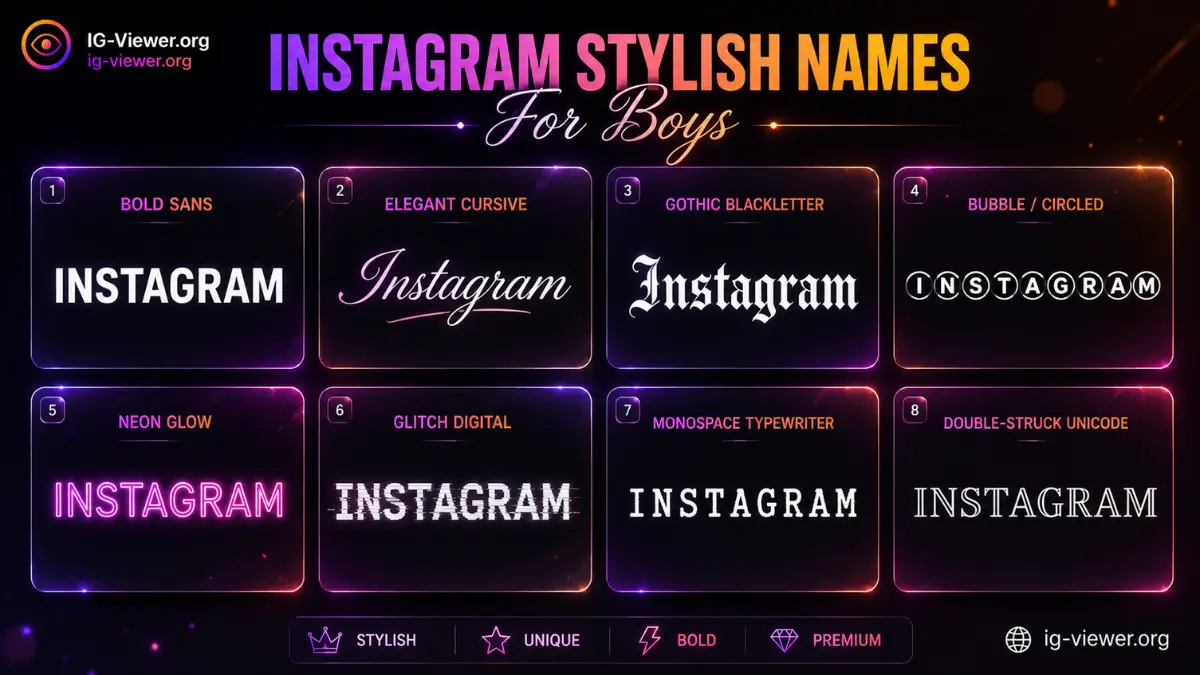
For profiles aiming for a masculine, high-energy, or gaming-focused aesthetic, searching for an instagram font style generator for boy accounts typically leads to bold, structured, or edgy options. Heavy block letters, gothic text, and monospace styles project confidence, intensity, and a modern edge. These styles align perfectly with sports content, tech reviews, and streetwear aesthetics. For a massive, dedicated list of these specific styles, be sure to check out our complete guide on the Instagram Bio for Boys Stylish Font to explore over 1,500 curated options.
Conversely, those looking for an instagram font style generator for girl accounts often gravitate toward softer, more elegant aesthetics. Cursive scripts, wide text, and delicate aesthetic fonts (like the tiny or bubble styles) create a warm, inviting, and highly curated vibe. These styles are staples in the fashion, beauty, and lifestyle spaces, helping to convey elegance and approachability without overpowering the visual content. Whether searching for a sleek instagram bio font style for boy or a chic look for a personal blog, tailoring the style to your audience makes a noticeable difference.
Instagram Caption, Comment, Story & Reels Fonts
Beyond your bio, custom text can completely transform how users interact with your daily content across all of Instagram's surfaces.
Captions: The first line of your caption is your hook. Because Instagram truncates captions in the feed, users must actively tap "more" to read your full message. Starting your post with a bold or italic instagram caption font creates a visual pattern interrupt that stops the scroll. You can also use a distinct instagram writing style mid-caption to emphasize a key quote or separate paragraphs effectively.
Comments: Leaving a comment using an instagram text generator is a brilliant networking strategy. Among hundreds of plain-text replies on a popular post, a beautifully styled comment draws the eye. This often results in more likes on your comment and drives curious users back to your profile.
Stories and Reels: While Instagram provides a few native Story fonts (Classic, Modern, Neon, Typewriter, Strong), millions of users rely on them daily, leading to severe visual fatigue. By pasting custom styles from our generator directly into the Story or Reel text tool, you bypass these limitations entirely. Whether you are adding a title to a Reel or styling an aesthetic photo dump in your Stories (for more engagement tactics, see our guide on Instagram Story Ideas), unique text formatting proves you put extra effort into your content. This distinctiveness is a subtle but powerful way to signal quality to the Instagram Algorithm.
Instagram occasionally rolls out a new instagram font option inside the native Story text tool, but these additions are still limited to a handful of built-in choices shared by every user on the platform. Pasting your own instagram text font from our generator instantly gives you hundreds of alternatives Instagram itself doesn't offer, which is exactly why custom-styled Stories and Reel captions still stand out even after Instagram adds new options of its own.
How to Change Your Font on Instagram (Platform Walkthrough)
Wondering how to change font on instagram? The process is identical across all major operating systems. Here is how to apply your new text using our instagram font changer on iOS, Android, and Desktop:
For Your Bio & Display Name
- Open the Instagram app and navigate to your profile.
- Tap the "Edit Profile" button.
- Tap on either the "Name" field or the "Bio" field.
- Delete the existing text, tap the cursor, and select "Paste" to insert your styled text from our generator.
- Hit "Done" or the checkmark to save your changes.
For Post Captions and Reels
- Tap the '+' icon to create a new post or Reel.
- Select your photo or video and proceed to the final share screen.
- Tap into the "Write a caption..." box and paste your styled text.
- Tap "Share."
For Stories
- Swipe right from your home feed to open the Story camera.
- Take a photo or upload one from your gallery.
- Tap the 'Aa' icon at the top of the screen to open the native text tool.
- Tap the screen and paste your styled text directly into the tool. You can now resize and position it just like native text.
Choosing the Right Style for Your Niche
Selecting the best instagram fonts is not just about picking what looks pretty; it is about matching the typography to your brand's voice and niche. The right instagram stylish font reinforces your message before the user even reads the words.
If you are in the fashion, beauty, or lifestyle space, aesthetic and minimal styles are highly recommended. Soft, spaced-out characters convey a sense of calm, luxury, and curation. For business professionals, marketing agencies, and fitness coaches, bold and block letters are the standard. These styles project authority, confidence, and strength, ensuring your core message is delivered with impact.
Personal brands, wedding photographers, and event planners benefit immensely from cursive and script styles. These fonts add a necessary human touch, making digital communication feel intimate and personalized. Finally, if your niche involves gaming, tech, or streetwear, do not be afraid to experiment with cool, edgy, or glitch styles. These unconventional instagram font style choices signal that you are modern, disruptive, and in tune with internet culture.
Food and restaurant accounts tend to perform well with handwritten or rounded styles, since they make a recipe or menu caption feel warm and approachable rather than corporate. Musicians, DJs, and event promoters lean toward neon or sparkle styles that echo a poster or flyer aesthetic. Educators, coaches, and B2B service accounts generally do best with clean, highly readable instagram fonts style choices — monospace or double-struck text for structured tips, reserving anything decorative purely for the headline. As a quick-reference rule: the more visually busy your photos already are, the simpler your text style should be, and the more minimal your feed, the more room you have to experiment with a bolder font instagram choice.
Quick-reference table — same recommendations above, at a glance:
| Niche / Account Type | Recommended Style Family |
|---|---|
| Fashion, beauty, lifestyle | Aesthetic, Wide, Tiny/Small |
| Business, agencies, fitness coaches | Bold, Squares, Sans Bold |
| Weddings, personal brands, event planners | Cursive/Script, Fancy |
| Gaming, tech, streetwear | Cool/Cursed, Zalgo/Glitch, Future Alien |
| Food & restaurant accounts | Bubble, Round Squares & Framed |
| Musicians, DJs, event promoters | Neon, Sparkle & Firework |
| Educators, coaches, B2B service accounts | Monospace, Double Struck |
Compatibility: Where Instagram Fonts Work
Because our tool generates standard Unicode characters, the compatibility of these instagram fonts extends far beyond a single app. They are natively supported by the operating systems running on iOS (Apple), Android, Mac, and Windows PCs.
This means your ig fonts will display perfectly on the Instagram mobile app as well as the desktop web version. Within the Instagram ecosystem, they function flawlessly in bios, display names, post captions, comments, Direct Messages (DMs), Guide titles, and Live stream titles.
Furthermore, because it is just a font ig built on Unicode, you are not restricted to Instagram. You can copy these exact same styled characters and paste them into Facebook statuses, WhatsApp messages, X (formerly Twitter) posts, TikTok bios, Discord servers, and even standard SMS text messages. The formatting will travel with the text wherever you take it.
- Works natively on iOS, Android, Mac, and Windows — no keyboard app or font install required.
- Displays correctly in Instagram bios, display names, captions, comments, DMs, Guides, and Live titles.
- Also pastes cleanly into Facebook, WhatsApp, X (Twitter), TikTok, Discord, and standard SMS.
Tips for Using Instagram Fonts Well
To get the most out of an instagram font style, you must use it strategically. Here are the core tips for maintaining a professional and engaging profile:
First, never over-style your content. As mentioned earlier, formatting your entire bio or a massive 300-word caption in a heavy gothic or cursive font will destroy your readability. Use styled text exclusively for emphasis—such as headers, CTAs, and key bullet points.
Second, always test your chosen instagram stylish text on a mobile device. While a complex, decorative font might look beautiful and perfectly spaced on a large desktop monitor, it can quickly become cramped and illegible on a 6-inch smartphone screen. Since the vast majority of social media traffic is mobile, mobile readability must be your priority.
Finally, prioritize consistency. Brand recognition relies on visual uniformity. Do not change your text style every time you post. Select one or two styles that perfectly capture your brand's aesthetic and commit to them. Over time, your audience will begin to recognize your content in their feed instantly, simply based on your consistent typographic footprint.
One more tip worth calling out: pair your styled text with emoji sparingly rather than stacking multiple decorative fonts together. A single well-chosen fonts for instagram style plus one or two relevant emoji almost always reads cleaner than two competing font families in the same line. If you ever feel unsure whether a style is too much, paste it into a private note or draft first and read it back after a few minutes — if it takes you more than a couple of seconds to read your own bio, simplify it.
Quick recap:
- Never over-style — reserve decorative fonts for headers, CTAs, and key bullet points only.
- Always test your chosen style on a real phone screen before committing to it.
- Stick to one or two styles for brand consistency across your whole profile.
- Pair styled text with one or two emoji at most — not multiple competing font families.
Closing CTA
Ready to completely transform your profile and command attention in the feed? Scroll back up to the top of the page and use our free instagram fonts generator right now. With over 500 unique styles available, you are just seconds away from creating the perfect ig fonts for your brand. Type your text, find your favorite igfonts style, and copy and paste your way to a more engaging and visually stunning social media presence today!
Frequently Asked Questions
Straight answers about how the tool works, what it can and can’t do, and how to use it safely.
What are Instagram fonts?
Instagram fonts are not traditional typeface files. They are specific Unicode characters that visually resemble styled English letters (like bold, cursive, or gothic text). Because they are standard text characters, they can be copied and pasted anywhere on the platform seamlessly.
Are Instagram fonts free to use?
Yes, absolutely. Our generator is 100% free to use. There are no subscriptions, hidden fees, or premium styles locked behind paywalls. You can generate and copy as many styles as you need instantly.
How do I copy and paste Instagram fonts?
Simply type your text into our generator, scroll through the list of styles, and click or tap on the one you like. The text is automatically copied to your clipboard. Then, open Instagram and paste it into the desired text field effortlessly.
How do I change my Instagram bio font?
To change your bio, generate and copy your text from our tool. Open Instagram, tap "Edit Profile," tap the "Bio" section, and paste the styled text. Tap "Done" to save your updated bio in seconds.
Can I change my Instagram username font?
No. Instagram restricts the @username field to standard letters, numbers, periods, and underscores to maintain a searchable database. However, you can freely use styled fonts in your Display Name instead.
Do Instagram fonts work on mobile (iOS/Android)?
Yes. Because they rely on the universal Unicode standard, these styled characters display perfectly on all modern iOS and Android smartphones, as well as desktop computers, without any additional software.
Will Instagram fonts affect my engagement?
Yes, they can positively impact your engagement. Using styled text creates a visual pattern interrupt that stops users from scrolling past your content. This can lead to higher profile visits and more time spent reading your captions organically.
Can I use Instagram fonts in Stories and Reels?
Yes. You can paste styled text directly into the Instagram Story text tool, bypassing the limited native font options. You can also paste them into your Reel captions and on-screen text for maximum impact.
Do Instagram fonts work in comments and DMs?
Absolutely. You can paste styled text into the comments section of any post to make your reply stand out, or use them in Direct Messages to add flair to your private conversations seamlessly.
Are there Instagram font limits (character count)?
Yes, Instagram's standard character limits still apply. For example, your bio is strictly limited to 150 characters. Each styled Unicode letter counts as one character toward that standard limit.
Is it legal / does it violate Instagram's terms?
It is completely legal and does not violate Instagram's Terms of Service. The platform natively supports Unicode characters (which is why emojis work everywhere), so using styled Unicode text is perfectly safe and compliant.
What's the difference between IG fonts and IG's own Story fonts?
Instagram's native Story fonts are built-in visual typefaces limited to 5 or 6 specific styles. IG fonts generated from our tool use Unicode substitution, giving you access to hundreds of unique styles that can be used anywhere across the app, not just in Stories.
Can I use emojis with Instagram fonts?
Yes! Emojis are also Unicode characters, so they pair perfectly with styled text. Mixing emojis with bold or cursive fonts is a great way to structure your bio and add visual hierarchy effectively.
What are the most popular Instagram font styles?
The most popular styles consistently include clean aesthetic text, bold block letters for emphasis, and elegant cursive scripts for personal branding. However, the best choice depends entirely on your specific niche and audience.
Do I need to download an app for Instagram fonts?
No. Our tool is entirely web-based. You do not need to download any apps, install any software, or add third-party keyboards to your device to use our generator anytime, anywhere.
Is there a difference between IG fonts and insta fonts?
No. Ig fonts, insta fonts, instafonts, and font instagram all describe the exact same thing — styled Unicode text generated for use on Instagram. They're different ways people phrase the same search, not different products.
Can I mix different fonts for Instagram in the same post?
You can, but it's rarely a good idea. Combining several different fonts for instagram in one caption or bio usually looks cluttered rather than intentional. Stick to one styled font for emphasis and keep the rest in plain text for the cleanest result.
How many Instagram font styles are available in the generator?
Our generator currently offers 500+ distinct instagram font styles, spanning every family covered in the directory above — from bold and cursive to bubble, glitch, and aesthetic text — with new styles added periodically.