
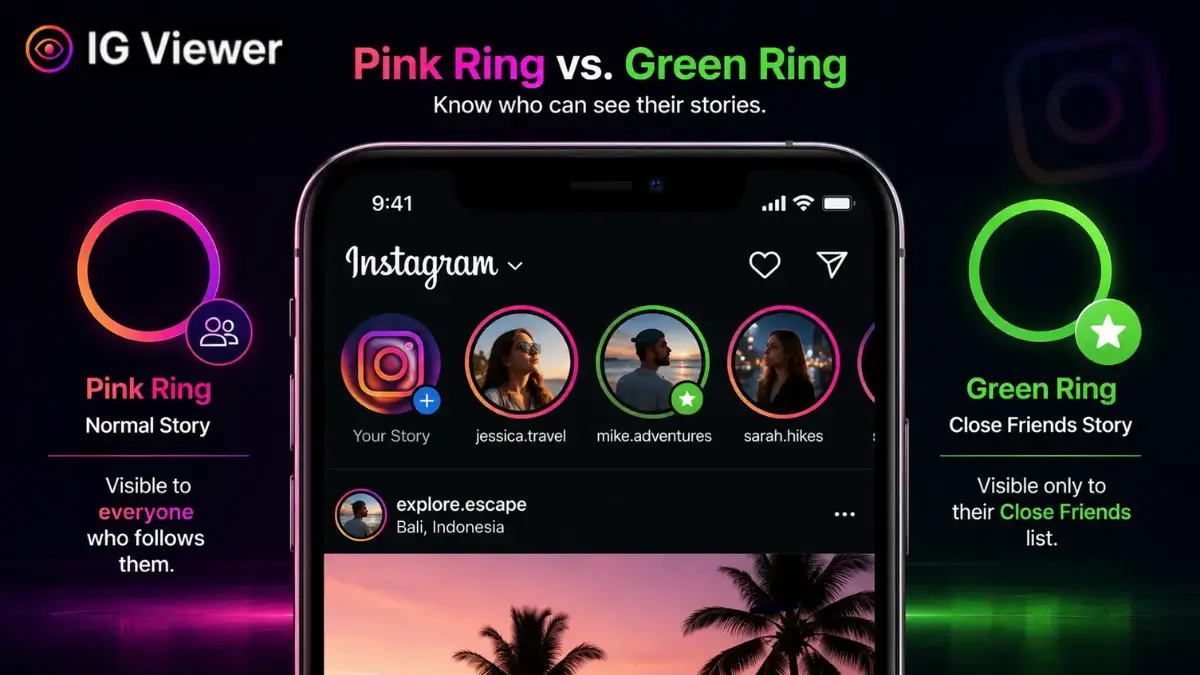
A close friends instagram story is a story posted only to a manually curated list of accounts — signaled by a green ring instead of the standard pink one — and it's genuinely inaccessible to anyone not on that list, including third-party scraping tools, because it's protected by the same follower-authentication check as a fully private account.
Social media started out as a megaphone — a way to broadcast to the widest possible audience. Over the last several years, that’s reversed: users increasingly want smaller, more intentional spaces instead of one giant public feed. Instagram’s answer to that shift is one of its most successful features: the close friends instagram story, marked by a green ring instead of the standard pink one, letting you share with a curated slice of your audience without building a separate “finsta” account to do it.
This guide covers how the feature actually works under the hood, what it means for both creators and viewers, and — since this comes up constantly — whether it’s actually secure from outside snooping. If you’re here because you’re weighing an anonymous viewing tool against something that claims to unlock Close Friends content, the short version is: nothing legitimate does that, and our own tool only ever works on public content for exactly that reason. More on why below.
How Close Friends actually works
Before this feature existed, an account with 5,000 followers had exactly one option for every story: send it to all 5,000 people. Sharing something more personal meant either not posting it at all, or manually hiding it from hundreds of individual accounts — a genuinely impractical workaround. Close Friends solved that by turning the audience into a switch instead of an all-or-nothing broadcast.
Building the list is manual and fully within your control:
- Open your profile settings and tap Close Friends.
- Instagram surfaces algorithmic suggestions based on your interaction history — frequent DMs, profile visits, tags — but the final list is entirely yours to edit.
- Tap the circle next to a name to add them; tap again to remove them.
There’s no notification in either direction. Someone added to the list only discovers it the next time you post and they see the green ring; someone removed simply stops seeing it, with no announcement either way.
Posting to it is a one-tap decision at the point of sharing: the Story composer offers “Your Story” (the standard option) alongside a dedicated green “Close Friends” button. Choosing the green option routes the media exclusively to the specific accounts on that list — it never touches the public feed at all.
Archiving and Highlights work the same way for Close Friends content as they do for regular stories: if you have Save to Archive turned on, a Close Friends story still saves privately to your own archive after it expires, and you can still add it to a Highlight on your profile afterward. Adding it to a Highlight, however, makes it visible to whoever can see that Highlight — which, if the Highlight itself sits on your public profile, effectively removes the Close Friends restriction from that specific piece of content going forward. It’s an easy detail to overlook: the green-ring protection only applies while the content lives as an active or archived story, not automatically once you’ve chosen to feature it permanently.
The psychology of the green ring
Close Friends succeeded for reasons that go beyond the technical feature — it taps into something genuinely psychological. Seeing a green ring communicates exclusivity in a way a normal story never can: it signals, deliberately, “out of everyone who follows me, I chose you for this.” That signal measurably increases engagement — replies to Close Friends stories consistently outperform replies to public ones, because the intimacy barrier has already been lowered by the act of being included.
This dynamic shows up clearly in what’s sometimes called the “soft launch” pattern in dating and relationship content: ambiguous, ungeotagged glimpses of a new partner (a hand holding a coffee, a second pair of shoes) shared to Close Friends first, as a way of sharing real news with an inner circle before making anything public on the main grid.
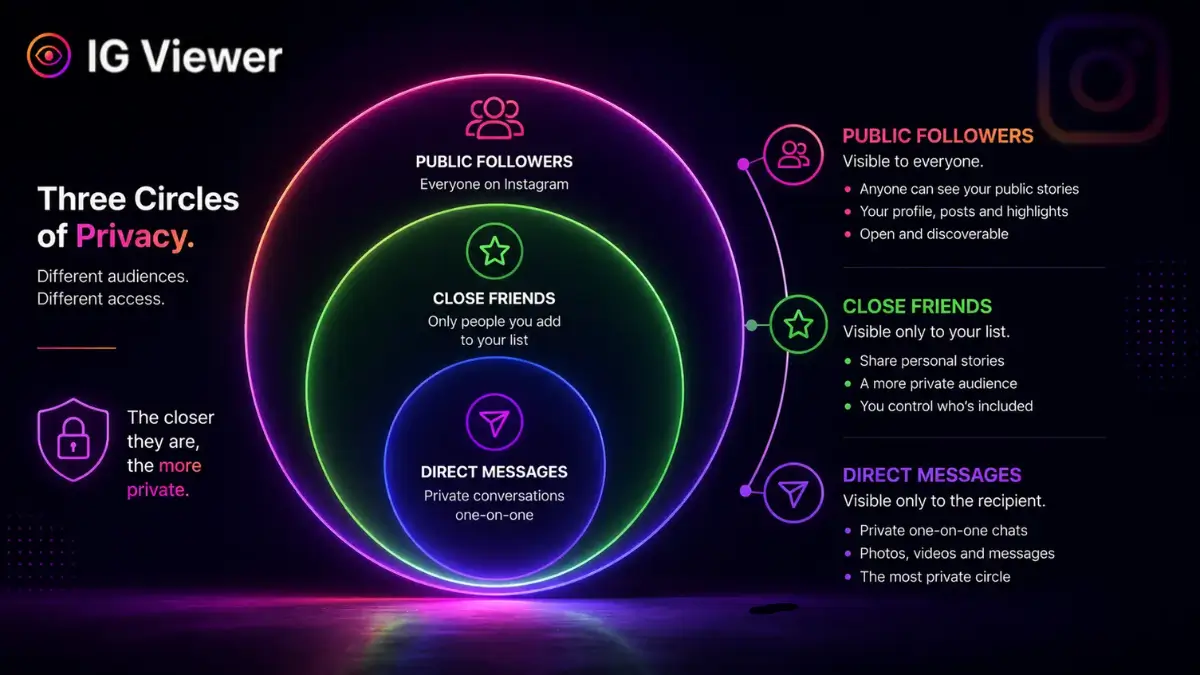
It helps to think of your total audience as a set of nested circles rather than a binary public/private toggle: everyone who follows you sits in the outer ring, Close Friends is a smaller ring inside that, and one-on-one DMs are smaller still. Each layer in gets more selective and more intimate, and Close Friends is specifically the middle tier — broader than a private conversation, but far narrower and more deliberate than your full follower list.
How to curate your list well
The feature only works as intended if the list itself is genuinely curated rather than treated as a second general-purpose feed. A few practical habits worth adopting:
- Revisit it periodically. Relationships change — someone who made sense on the list a year ago may not anymore, and Instagram won't prompt you to reconsider on its own.
- Don't use algorithmic suggestions blindly. The suggested-additions list is based on interaction frequency, not necessarily trust — a coworker you DM constantly for work reasons isn't automatically someone you want seeing unfiltered personal content.
- Treat removal as routine, not dramatic. Because there's no notification either way, quietly removing someone who no longer fits is low-friction and shouldn't be treated as a bigger decision than it needs to be.
- Keep it meaningfully smaller than your full follower list. A Close Friends list that includes most of your followers defeats the purpose of having one — the exclusivity effect (and the engagement boost that comes with it) depends on the list actually being selective.
Close Friends vs. a second (finsta) account
Before Close Friends existed, the standard workaround for wanting a smaller audience was a second, more private account — commonly called a “finsta.” Both approaches solve a similar problem, but they trade off differently.
A second account gives you a completely separate grid, bio, and follower list, which is useful if you want an entirely different persona rather than just a filtered audience for your existing one. The cost is real overhead: managing two logins, building a second follower base from scratch, and remembering to post twice if you want the same moment shared to both audiences.
Close Friends solves the narrower, more common version of the same need — sharing something with a subset of your existing audience — without any of that overhead. You keep one profile, one grid, and one follower count, and simply toggle which stories go to everyone versus the smaller list. For most people whose actual goal is “some things aren’t for everyone,” Close Friends is the lower-effort solution; a second account only makes sense if you genuinely want a distinct identity, not just a smaller audience for the one you already have.
Can it be bypassed?
This is the question that actually matters for this guide, so let’s be unambiguous about it: it is not possible for a public web scraper or anonymous viewer to access a Close Friends story.
A standard public story is served from Instagram’s CDN with open access — any server can request and receive it. A Close Friends story is protected by an access control list tied to specific account IDs: when a viewing request comes in, Instagram checks the requester’s authenticated account ID against the poster’s Close Friends list before releasing anything. An anonymous scraping tool, by design, isn’t authenticated as any specific Instagram account at all — it has no ID to check against the list, which means there’s structurally nothing for it to be granted or denied. It’s the same underlying protection mechanism that guards fully private accounts, just scoped to a custom list instead of your entire follower base.
The real threat: screen recording
The one genuine vulnerability isn’t technical at all — it’s human. If someone on your Close Friends list screen-records or screenshots your story, that content can leave the curated circle entirely, and there’s no platform safeguard against it. Instagram briefly tested screenshot notifications for this exact scenario years ago and discontinued the feature; today, nothing alerts you if it happens. In practice, the security of a Close Friends list is only as strong as the real-world trust you’ve placed in the people on it — a genuinely different kind of risk than anything a scraper could pose.
Worth noting: neither approach is inherently better — plenty of creators run both simultaneously, using a second account for a genuinely distinct project or persona while still using Close Friends within their main account for day-to-day audience filtering.
Using Close Friends for business
What started as a way for teenagers to hide weekend plans from parents has become a legitimate marketing tool. Creators running paid subscriptions through platforms like Patreon frequently use Close Friends as the delivery mechanism for exclusive content — followers pay externally, and the creator manually adds them to the list, giving them a behind-the-scenes feed without building a separate app or website.
Brands use the same mechanic for loyalty targeting: adding top customers to a Close Friends list and pushing early-access product drops or discount codes there before anything goes public, rewarding the audience segment that’s actually worth rewarding.
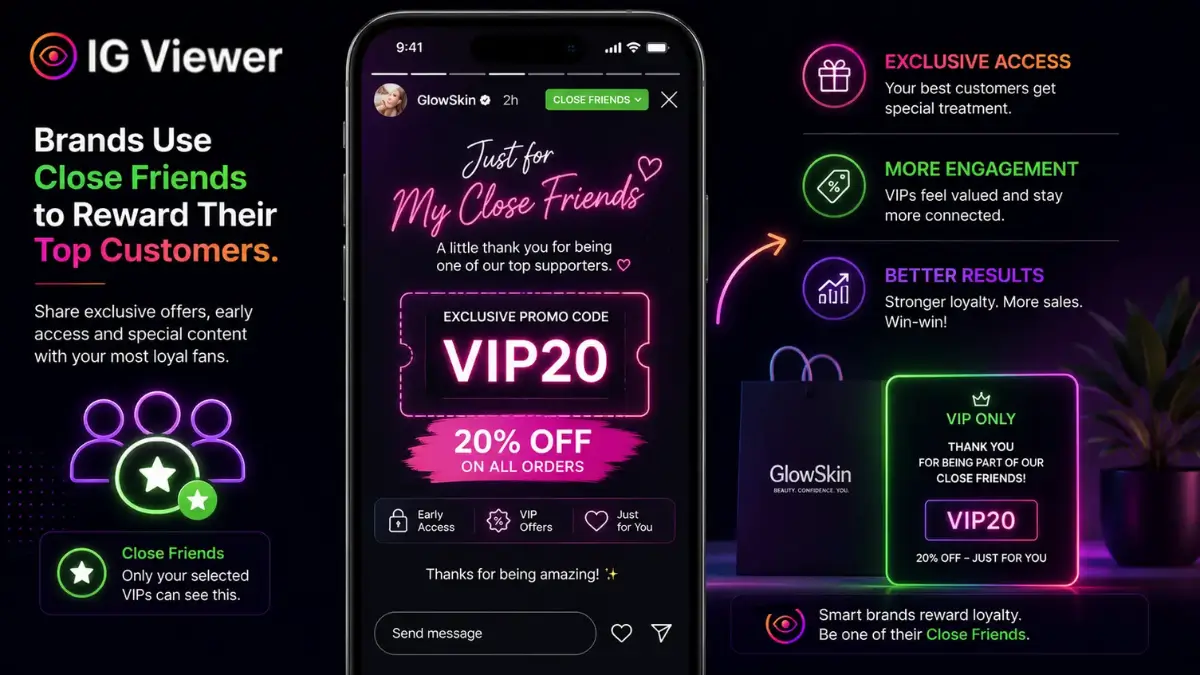
This works because it inverts the usual incentive: instead of asking customers to do something to earn a reward (tag friends, share a post, sign up for a newsletter), the reward is simply being recognized as already valuable — which tends to read as more genuine, and drives noticeably higher goodwill than a generic public discount code blasted to everyone.
The future of the feature
Meta has continued expanding Close Friends beyond its original 24-hour-story scope — the green-ring option now also applies to permanent grid posts and Reels, not just disappearing content. That expansion signals something bigger than a feature update: it’s an acknowledgment that the platform’s future isn’t purely about maximizing reach, but increasingly about supporting smaller, deliberately bounded audiences within a much larger app. As algorithmic feed fatigue sets in broadly across social media, tools like this one give users a way to opt back into something closer to how these platforms felt before scale took over.
It’s a pattern worth watching across the industry more broadly, not just on Instagram — smaller, curated-audience sharing (Close Friends lists, private group chats, invite-only communities) has been one of the more consistent growth areas across social platforms generally, even as headline user-growth numbers for fully public posting slow down. The likeliest direction for Close Friends specifically is deeper integration with commerce and creator monetization tools, given how naturally it already maps onto the “reward my most engaged audience” use case brands and creators have already found for it.
Conclusion
The Close Friends feature is a genuinely well-built piece of digital boundary-setting — it lets you keep a wide public presence without giving up all sense of a private audience. Its only real weak point is the same one every private communication has always had: the people you trust with it, not the technology protecting it. Curate deliberately, revisit the list occasionally, and treat it as what it actually is — a smaller room inside a much bigger house, not a second version of the same broadcast. For everything about who can see your regular public stories (not the green-ring ones) and in what order, see our guide on why the same viewers always show up first, and if you’re trying to figure out whether a private account’s content is reachable at all through anonymous means, our guide on viewing private accounts anonymously covers that exact boundary in more depth.
Frequently Asked Questions
Straight answers about how the tool works, what it can and can’t do, and how to use it safely.
Does someone get notified when I add them to Close Friends?
No. There is no push notification either way — they only find out by seeing the green ring the next time you post, and they stop seeing it silently if you remove them later.
Can an anonymous story viewer show me someone's Close Friends story?
No, and any tool claiming otherwise is misrepresenting what it does. Close Friends stories require the same follower-level authentication as a private account's content, which an anonymous public-page viewer fundamentally does not have.
Does Instagram notify people when their Close Friends story is screenshotted?
No — Instagram briefly tested screenshot notifications for this feature years ago and discontinued it. The security of a Close Friends list depends entirely on the trust you place in the people on it, not on any technical safeguard against screenshots.
Can I have more than one Close Friends list?
No, Instagram supports a single Close Friends list per account. If you want separate tiers of audience, you'd need to manage that manually by editing the list before each story, since the platform doesn't natively support multiple named lists.
Do Close Friends posts show up outside of Stories now?
Yes — Meta has expanded the green-ring option to grid posts and Reels as well, not just 24-hour stories, so the same curated-audience concept now applies across more of the app than when the feature first launched.